

Best Valorant Settings for Competitive Play: Sensitivity, Crosshair, Graphics and Audio (Nov 2026)

The best Valorant settings for ranked are an eDPI of roughly 240 to 320 (0.30 to 0.40 at 800 DPI), a small static crosshair, low graphics with VSync off, HRTF on with headphones, and a minimap that rotates. Set them once, then leave them alone for at least two weeks.
Updated for patch 13.10 (November 10, 2026). The new patch adds a replay bookmarking keybind and makes Sage's crosshair visible while she aims Healing Orb. Patch 13.09 had no settings changes. We also corrected the pro eDPI figure: ProSettings data now shows an average near 248, lower than the 280 to 350 we used to quote.
Below is a copy-ready baseline with the reason behind each pick, plus a one-page cheat sheet. For the mechanics behind it, read our guide to improving aim in FPS games.
- Pro avg eDPI
- About 248
- Starter sens
- 0.35 at 800 DPI
- Latest patch
- 13.10 (Nov 10)
- Setup time
- About 15 minutes
Valorant Settings Cheat Sheet
This table is the whole guide on one screen. Each value below is explained in its own section.
| Category | Setting | Start with |
|---|---|---|
| Mouse | DPI and sens | 800 DPI, 0.35 (eDPI 280) |
| Mouse | Scoped sensitivity | 1.0 |
| Crosshair | Error indicators | Movement and Firing Error off |
| Crosshair | Inner lines | Length 3 to 5, thickness 1 to 2, offset 1 to 3 |
| Video | Display | Fullscreen, native resolution, max refresh rate |
| Video | Quality | Low, Bloom and Distortion off, VSync off |
| Audio | Headphones | HRTF on, Speaker Configuration Stereo |
| Map | Minimap | Rotate on, keep player centered |
Best Valorant Sensitivity and eDPI

Your eDPI is mouse DPI multiplied by in-game sensitivity. Two players with the same eDPI turn at the same speed, whether they run 400 DPI at 0.8 or 800 DPI at 0.4.
ProSettings data, as summarized by Setup.gg on September 19, 2026, covers 668 pros with a reported eDPI: the average is 248.3 and the median is 231.2. Setup.gg suggests a starting range of 240 to 320, which is 0.30 to 0.40 at 800 DPI or 0.15 to 0.20 at 1600 DPI. A few extreme entries pull the average, so treat the median as the better guide.
- Set 800 DPI and 0.35 sensitivity (eDPI 280).
- Play five Deathmatch rounds without changing anything.
- If your crosshair trails targets, raise sensitivity by 0.05. If you overshoot, lower it by 0.05.
- When you can turn 180 degrees on your mousepad and still make small corrections at range, lock the number for two weeks.
- Polling rate 1000 Hz is the usual minimum. Higher rates exist, with diminishing returns.
- Mouse acceleration Keep it off. In Windows, untick Enhance pointer precision.
- Scoped sensitivity Keep 1.0 so Operator and Marshal feel like your hip-fire.
Best Valorant Crosshair Settings

The common competitive choice is a small crosshair with Movement Error and Firing Error both off. Both options widen the crosshair while you move or shoot, so turning them off removes clutter. Some players leave them on for shot feedback, so treat it as a preference.
- Color Cyan or white. Avoid red and pink, which blend into effects.
- Inner lines On. Length 3 to 5, thickness 1 to 2, offset 1 to 3.
- Center dot Your call. Many tap-firers turn it on.
- Outlines On if the crosshair vanishes on bright walls.
To test a pro setup, open Settings, then Crosshair, and use Import Profile Code. Play 200 rounds before changing it. Codes from community sites may need a quick check in your client.
Best Valorant Graphics Settings

The usual competitive baseline favors frame rate and clean enemy models over visuals. These values are community consensus rather than Riot recommendations, so adjust if your PC has headroom.
- Display Fullscreen at your monitor's native resolution and maximum refresh rate.
- Quality Material, Texture, Detail and UI Quality on Low.
- Bloom and Distortion Off. Both can make fights harder to read.
- Anti-aliasing MSAA 2x or off.
- VSync Off. It adds input lag, even though tearing can show.
- NVIDIA Reflex On, or On + Boost, if your GPU supports it. NVIDIA says Boost keeps GPU clocks high and can raise power use or slightly lower FPS.
Long sessions are also hard on your eyes. See how gaming and screen time affect your eyes.
Best Valorant Audio Settings (HRTF)
Use HRTF with headphones. Riot's patch 8.0 notes say HRTF and Spatial Audio work on headphones only, not speakers or mono.
- HRTF On, with Speaker Configuration set to Stereo.
- Windows Spatial Audio or other virtual surround Pick one system. Riot added official third-party spatial audio support in 8.0, which needs Speaker Configuration on Auto-Detect and turns HRTF off automatically.
- Sound effects 100%.
- Voice-over About 50%.
- Music 0 to 10%.
- Voice chat Comfortable, with push-to-talk.
Keybinds and Minimap

- Bind Walk to a side mouse button if you have one, which frees your left hand for strafing.
- Put utility you use every round on keys like C and Q.
- Set the minimap to rotate and keep it player-centered.
- Scale the map so the whole map is visible.
Settings Maintenance and Warm-Up

- Keep the same sensitivity and resolution every session. Changing mid-slump restarts adaptation.
- Warm up 10 to 15 minutes on the Range and in Deathmatch.
- After big patches, check that audio and video settings did not revert.
New patch? Our Valorant Act 6 patch 13.08 guide covers the current map pool and Map Rating. Newer to the game? Start with how to play Valorant.
Fuel for the Ranked Grind
Dialing in settings takes 15 minutes, and a ranked night takes a lot longer than that.
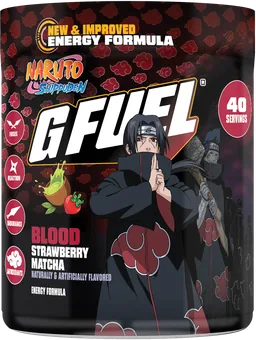
A lot of Valorant players keep a shaker of G FUEL Energy Formula next to the desk for sessions like this: zero sugar, 140 mg of caffeine per serving and 40 servings per tub. For the breaks between queues, G FUEL Supreme Hydration brings electrolytes with zero caffeine.
Queue picks


New arrivals


FAQs
What is the best sensitivity for Valorant?
ProSettings data summarized by Setup.gg shows a pro average eDPI near 248 and a median near 231. A starting range of 240 to 320 eDPI works for most players, which is 0.30 to 0.40 at 800 DPI. Pick one and keep it for two weeks.
Should I turn off VSync in Valorant?
Yes, for competitive play. VSync adds input lag, and the trade is usually not worth it even if you see some tearing.
What crosshair should I use in Valorant?
A small crosshair with Movement Error and Firing Error off is the common competitive pick. Use cyan or white, inner lines of length 3 to 5, and set the center dot to taste.
Should I turn HRTF on in Valorant?
Use it with headphones and Speaker Configuration on Stereo. Riot says HRTF and Spatial Audio are headphone-only, and that you should use one system at a time. Riot does not claim any option gives a competitive advantage.
Should I turn on Multithreaded Rendering?
Only on a high-spec PC. Riot lists minimums of 8 GB RAM, 2 GB VRAM and 8 CPU cores counting virtual cores, and says it can improve performance. Test it before ranked.
How often should I change my Valorant sensitivity?
As rarely as possible. Lock in a value in the 240 to 320 eDPI range and keep it for at least two weeks before adjusting.